Apple TV vs Tablet for a Home Assistant Dashboard: Which Is Better?
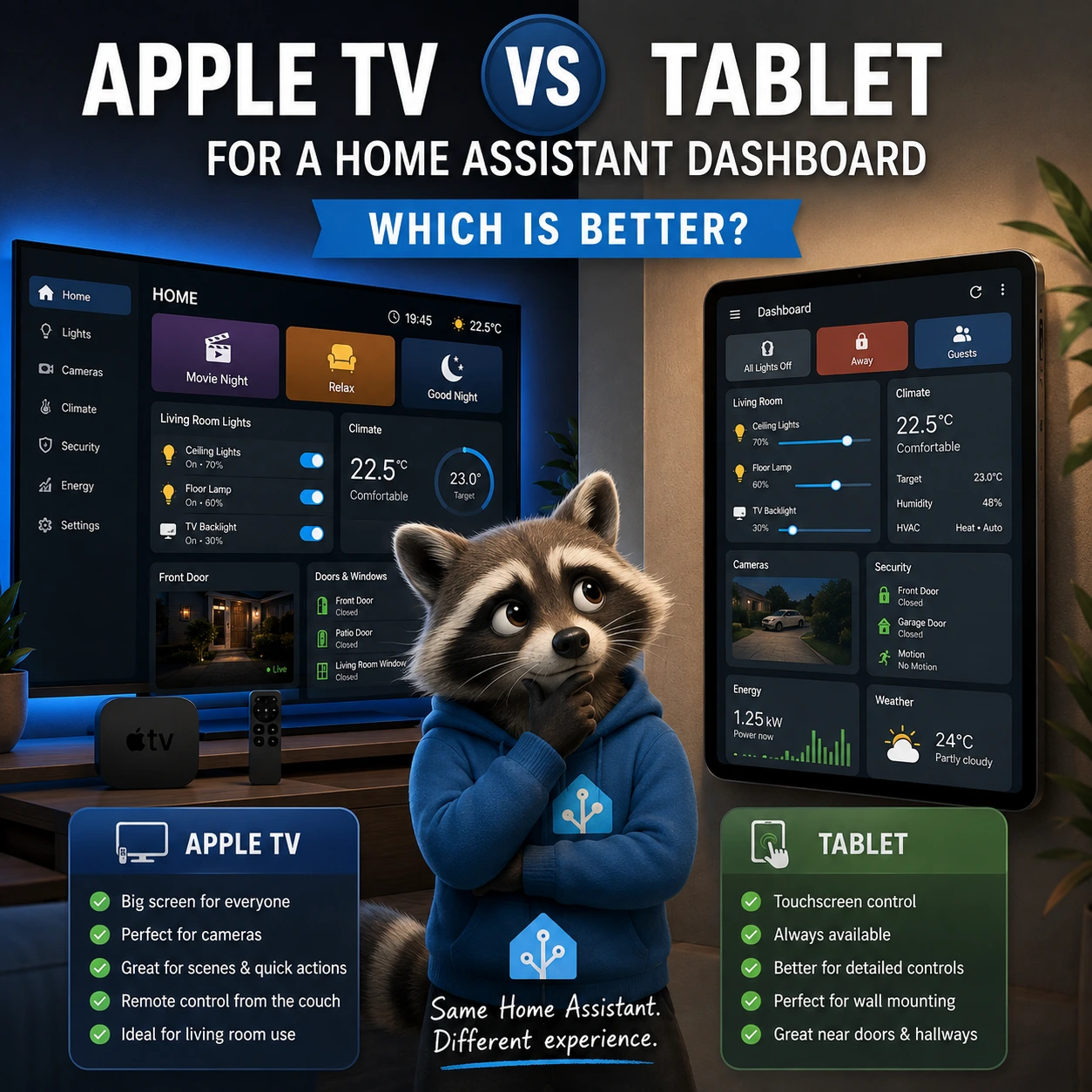
If you want a dedicated Home Assistant dashboard at home, two of the most practical options are a television connected to Apple TV or a wall-mounted tablet.
Both can display Home Assistant controls, sensors, cameras, scenes, climate information, and household status. But they solve different problems.
A tablet is usually better as a permanent touch-based control panel. Apple TV is better when you want a large shared dashboard that can be viewed and controlled from across the room.
Home Assistant itself supports multiple dashboards, which makes it practical to create one interface for a tablet and another for a television instead of forcing both devices to use the same layout.
This guide compares Apple TV and tablets specifically as Home Assistant dashboard devices.
Quick Answer
Choose Apple TV if you want:
- A large dashboard visible from the couch.
- Home Assistant controls on the main living-room TV.
- Large camera feeds.
- Shared household status.
- Remote-based navigation.
- Scenes and lighting controls from the sofa.
- A dashboard that appears only when you need it.
Choose a tablet if you want:
- An always-available control panel.
- Touchscreen interaction.
- A wall-mounted dashboard.
- Fast access while walking through the house.
- Detailed controls.
- More frequent direct interaction.
- A dedicated kiosk-style device.
For many smart homes, the best solution is not Apple TV or a tablet.
It is both.
Apple TV and Tablet Dashboards Serve Different Roles
The difference becomes clearer when you think about where the device is used.
A tablet is usually positioned where people can walk up to it.
An Apple TV dashboard is usually viewed from several meters away.
That changes everything about dashboard design.
A tablet can handle:
- Small buttons.
- Detailed menus.
- Sliders.
- More cards.
- Touch gestures.
- Dense information.
A television should prioritize:
- Large cards.
- Short labels.
- Clear status.
- Fewer actions.
- Remote-friendly navigation.
- Information readable from across the room.
The same Home Assistant dashboard can technically contain many types of cards, but using the same layout on both devices is rarely ideal.
Home Assistant explicitly supports separate dashboards for different parts of the home and different use cases.
Comparison: Apple TV vs Tablet
| Feature | Apple TV | Tablet |
|---|---|---|
| Large-screen visibility | Excellent | Limited |
| Touchscreen control | No | Yes |
| Remote control | Yes | Usually no |
| Wall mounting | TV already mounted or placed | Excellent |
| Always-on dashboard | Usually not ideal | Excellent |
| Camera viewing | Excellent on large screen | Good |
| Detailed controls | Moderate | Excellent |
| Shared family visibility | Excellent | Good |
| Couch control | Excellent | Poor unless nearby |
| Kiosk use | Limited | Excellent |
| Portable | No | Yes |
| Existing living-room hardware | Often yes | Requires separate device |
| Best for quick scenes | Excellent | Excellent |
| Best for detailed configuration | Poor | Better |
| Best for room entrance control | Poor | Excellent |
The important point is that neither device is universally better.
The right choice depends on how and where you expect people to interact with Home Assistant.
Why Use Apple TV for a Home Assistant Dashboard?
Apple TV becomes interesting when the television itself is already part of the room where smart-home control happens.
Typical examples include:
- Living room.
- Media room.
- Bedroom TV.
- Kitchen television.
- Large shared display.
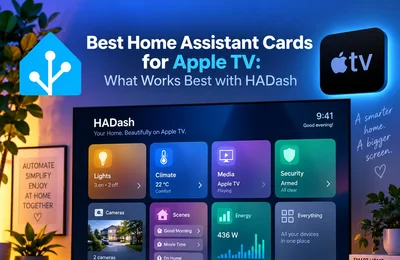
With HADash, Apple TV can connect directly to a Home Assistant instance and display existing dashboards on the television. Its App Store description currently lists support for dashboards containing lights, sensors, cameras, graphs, multiple servers, and different themes.
The public HADash repository describes it as an Apple TV app for displaying and interacting with Home Assistant dashboards on the big screen.
The Main Advantage: Screen Size
A television can display information at a scale that a tablet cannot match.
This makes Apple TV particularly useful for:
- Front-door cameras.
- Multi-camera views.
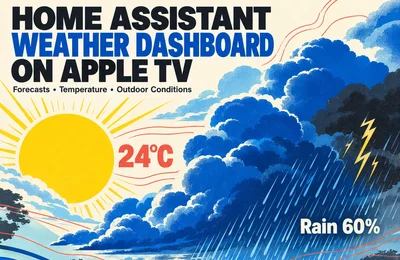
- Large weather information.
- Energy graphs.
- Climate status.
- Security overview.
- Household status.
- Large scene buttons.
A camera that feels cramped on a 10-inch tablet can become much easier to evaluate on a 55-inch or 65-inch television.
Apple TV Is Better for Shared Viewing
A tablet is normally a single-person interaction device.
A television is naturally shared.
Several people can see:
- Whether the front door is open.
- Which lights are on.
- Current temperature.
- Who is at the door.
- Security status.
- Weather.
- Energy usage.
This makes Apple TV particularly suitable for an at-a-glance household dashboard.
You do not necessarily need to walk toward a device or pick anything up.
Apple TV Is Excellent for Scenes
Scenes are one of the strongest use cases for Home Assistant on a TV.
Instead of navigating through individual devices, the dashboard can contain large buttons such as:
- Movie Night
- Relax
- Guests
- Reading
- Good Night
- All Lights Off
A television dashboard works especially well when one action represents an entire household routine.
This reduces the need for detailed interaction.
Apple TV Is Strong for Cameras
A TV can be one of the most convenient places to check a camera feed.
For example:
Someone rings the doorbell.
Instead of opening a phone, you can open the camera view on the television.
A useful camera dashboard might contain:
- Front Door
- Driveway
- Garden
- Garage
Home Assistant dashboards support cards and dedicated view layouts, including Panel views that can display one card across the full width of the screen.
That makes a full-screen camera view a natural television use case.
The Main Limitation of Apple TV: No Touchscreen
The television is controlled from a remote rather than by touching the interface directly.
That means some interaction patterns that work perfectly on a tablet can become inconvenient.
Examples include:
- Tiny buttons.
- Complex sliders.
- Dense grids.
- Pop-up menus.
- Detailed forms.
- Large numbers of nested controls.
For Apple TV, the dashboard should be intentionally simplified.
The most important actions should require minimal navigation.
Apple TV Is Not Usually an Always-On Dashboard
A wall tablet can stay visible throughout the day.
A television normally cannot.
Most households do not want the main TV displaying Home Assistant continuously.
Instead, Apple TV works better as an on-demand dashboard.
You open it when you want to:
- Check cameras.
- Adjust lights.
- Activate a scene.
- Check security.
- Review room status.
- View a larger graph.
This distinction is important.
If your primary goal is a dashboard that is continuously visible, a tablet is usually the better device.
Why Use a Tablet for Home Assistant?
Tablets have been popular as Home Assistant control panels because they are physically well suited to the job.
They can be:
- Wall mounted.
- Placed on a stand.
- Installed near an entrance.
- Kept in a kitchen.
- Used next to a bed.
- Used as a room controller.
Home Assistant itself highlights focused dashboards for devices such as kitchen tablets as a normal dashboard use case.
The Main Advantage of a Tablet: Touch
Touch interaction allows more detailed control.
For example:
- Dragging a brightness slider.
- Adjusting thermostat temperature.
- Selecting colors.
- Scrolling through entities.
- Navigating detailed menus.
- Opening more-info dialogs.
These actions are much more natural on a touchscreen.
Tablets Are Better for Permanent Wall Panels
A wall-mounted tablet can function as part of the house rather than as a personal mobile device.
Typical locations include:
- Entrance hallway.
- Kitchen.
- Living-room wall.
- Bedroom.
- Utility room.
A permanently mounted tablet can provide instant access to:
- Lights.
- Climate.
- Alarm.
- Cameras.
- Locks.
- Doors.
- Weather.
- Energy.
- Scenes.
Home Assistant even documents a dedicated Android Home launcher approach for creating streamlined kiosk-style Home Assistant devices, including recommending a dedicated Home Assistant user and a dedicated dashboard for the device.
Android Tablets Have Strong Kiosk Options
Android has a particularly mature ecosystem for dedicated Home Assistant wall panels.
One example is Fully Kiosk Browser.
Home Assistant provides an official Fully Kiosk Browser integration and describes it as a kiosk browser for Android devices that can also expose device status and controls to Home Assistant.
A kiosk setup can help with tasks such as:
- Keeping Home Assistant on screen.
- Controlling screen behavior.
- Creating a dedicated wall-panel experience.
- Managing the tablet as part of the smart home.
This is one of the strongest advantages a dedicated tablet has over a television.
Tablets Are Better Near Doors
Imagine arriving home.
A wall tablet beside the entrance can immediately offer:
- Alarm status.
- Front-door controls.
- Hallway lights.
- Heating.
- Garage.
- Cameras.
Apple TV cannot replace this type of interaction because the television is located elsewhere.
For location-specific control, physical placement matters more than screen size.
Tablets Are Better for Detailed Dashboards
A tablet can reasonably show more controls per page.
For example, a lighting dashboard might display:
- Living Room Ceiling
- Floor Lamp
- TV Backlight
- Dining Light
- Kitchen Lights
- Hallway
- Brightness controls
- Color controls
- Scenes
On Apple TV, showing all of those controls on one screen may create unnecessary navigation.
On a tablet, it can work well because users can directly touch the required card.
Which Device Is Better for Cameras?
Apple TV wins for viewing.
The large screen makes details easier to see.
Use Apple TV if you frequently want to inspect:
- Front-door visitors.
- Driveway activity.
- Garden cameras.
- Multiple security cameras.
Tablet wins for quick access.
A permanently mounted tablet can display or open camera views immediately without turning on a television.
The ideal setup may therefore be:
Tablet for continuous camera availability.
Apple TV for large-screen inspection.
Which Is Better for Lights?
It depends on the type of control.
Apple TV
Better for:
- Movie Night
- Relax
- All Lights Off
- Evening Mode
- TV Backlight
- Main living-room lighting
Tablet
Better for:
- Individual lights.
- Brightness adjustment.
- Color adjustment.
- Room-by-room control.
- More detailed lighting interfaces.
If you mostly use scenes, Apple TV works extremely well.
If you regularly adjust individual lights, the tablet is more convenient.
Which Is Better for Climate?
A tablet has the advantage for detailed thermostat control.
For example:
- Adjust target temperature.
- Change HVAC mode.
- Control fan speed.
- Change presets.
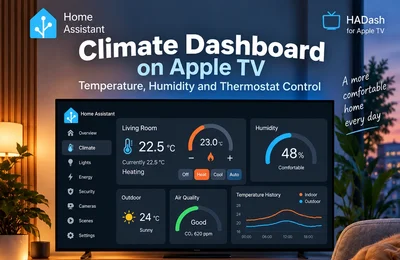
Apple TV is better as a climate overview.
A television dashboard can show:
- Living Room 22.5°C
- Humidity 48%
- Target 23°C
- Heating On
- Air Quality Good
Then only expose one or two important controls.
Which Is Better for Security?
Both can be useful, but for different purposes.
Apple TV
Strong for:
- Security overview.
- Large cameras.
- Door and window status.
- Motion events.
- Exterior monitoring.
Tablet
Strong for:
- Alarm interaction.
- Entrance controls.
- Door locks.
- Detailed security controls.
For security-sensitive actions, consider who can access the device.
A television remote sitting on the couch may be available to everyone in the room.
Avoid exposing dangerous actions unnecessarily.
Which Is Better for Energy Monitoring?
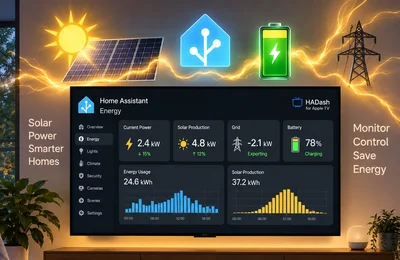
Apple TV is excellent for high-level energy information.
For example:
- Current usage.
- Solar production.
- Battery level.
- Grid import/export.
- Current power draw.
Large graphs work particularly well on a television.
A tablet is more suitable for detailed historical analysis or interactions involving multiple graph controls.
Dashboard Design Should Be Different
Do not build one dashboard and assume it is optimal everywhere.
Home Assistant supports multiple dashboards specifically so you can create interfaces for different purposes.
A good approach is:
Apple TV Dashboard
Home
Lights
Cameras
Climate
Security
Tablet Dashboard
Home
Rooms
Lights
Climate
Security
Energy
Settings
The Apple TV version should be more selective.
Recommended Apple TV Home View
A simple TV Home view might contain:
Scenes
Movie Night
Relax
Good Night
Lights
Living Room
TV Backlight
All Lights Off
Status
Temperature
Front Door
Alarm
Camera
Front Door Camera
That is enough to handle most couch-based interactions.
Recommended Tablet Home View
A tablet can display more detail:
Living Room
Ceiling Light
Floor Lamp
TV Backlight
Temperature
Humidity
Security
Front Door
Window
Alarm
Camera
Climate
Thermostat
Target Temperature
HVAC Mode
Scenes
Movie Night
Relax
Away
Good Night
Touch interaction makes this density manageable.
Use Home Assistant Sections for Both
Home Assistant currently offers four main dashboard view types: Sections, Masonry, Panel, and Sidebar.
Sections is a strong starting point for both TV and tablet dashboards.
It arranges cards in a grid and allows cards to be grouped into logical sections.
The difference is how you configure it.
On TV
Use:
- Fewer sections.
- Larger cards.
- Fewer columns.
- Short labels.
On Tablet
Use:
- More sections.
- More cards.
- Detailed controls.
- Smaller elements where necessary.
Can the Same Dashboard Be Used on Both?
Yes.
But that does not mean it should be.
Home Assistant dashboards adapt to different screen sizes, but interaction methods remain different.
A touchscreen encourages direct interaction.
Apple TV requires focus-based remote navigation.
Even if the visual layout works on both devices, the user experience may not.
Creating dedicated dashboards usually produces a cleaner result.
What About an iPad?
An iPad can make an excellent Home Assistant dashboard because of its display quality and touch interface.
It works well when:
- Mounted to a wall.
- Placed on a desk or stand.
- Used as a shared room controller.
However, dedicated kiosk behavior and device automation options differ between iPadOS and Android.
If deep kiosk integration is important, Android tablets often provide more specialized tools.
If you already own an unused iPad, however, it can still be a very capable Home Assistant display.
What About a Cheap Android Tablet?
A low-cost Android tablet can be one of the most economical ways to create a permanent Home Assistant dashboard.
But hardware quality matters.
Consider:
- Screen brightness.
- Viewing angles.
- Wi-Fi quality.
- Processor performance.
- Memory.
- Battery management.
- Camera-stream performance.
A very inexpensive tablet may struggle with several live camera feeds or complex dashboards.
For a simple lights-and-scenes dashboard, the hardware requirements are much lower.
What About Screen Burn-In?
Any display that shows the same interface for long periods should be managed carefully.
For tablets, consider:
- Screen timeout.
- Motion-based wake.
- Screensavers.
- Changing dashboard content.
- Avoiding permanent maximum brightness.
A TV is naturally less exposed to this problem because the dashboard is usually opened only when needed.
Power Consumption
A wall tablet consumes power continuously if kept active or charging.
Apple TV itself may already be installed for entertainment, so using it for Home Assistant does not necessarily require another dedicated screen.
However, the television consumes substantially more energy while active than a small tablet.
This reinforces the distinction:
Tablet = persistent dashboard.
TV = on-demand dashboard.
Cost
The real comparison depends heavily on what you already own.
If You Already Have Apple TV
Adding a Home Assistant TV dashboard may require no additional display hardware.
If You Already Have an Old Tablet
Repurposing it may be the cheapest wall-panel solution.
If Buying New Hardware
Consider the purpose first.
Do not buy a large television purely to display Home Assistant.
Do not buy an expensive tablet if you only want occasional living-room control.
Apple TV vs Wall Tablet by Use Case
Living-room scenes
Winner: Apple TV
Front-door control panel
Winner: Tablet
Large camera feeds
Winner: Apple TV
Always-visible status
Winner: Tablet
Movie Night control
Winner: Apple TV
Detailed light controls
Winner: Tablet
Thermostat adjustment
Winner: Tablet
Household status from couch
Winner: Apple TV
Entrance security panel
Winner: Tablet
Large energy graphs
Winner: Apple TV
Kiosk interface
Winner: Tablet
Shared entertainment-room interface
Winner: Apple TV
When Apple TV Is the Better Choice
Choose Apple TV when the dashboard is primarily for the living room.
It is especially suitable if you want to:
- Control smart-home scenes from the sofa.
- Check cameras on a large screen.
- Monitor room status.
- Use the TV as a shared smart-home display.
- Avoid installing another screen.
- Use an existing Apple TV.
HADash provides a native Apple TV approach for this use case by connecting directly to Home Assistant and showing existing dashboards.
When a Tablet Is the Better Choice
Choose a tablet when you need a permanent home control panel.
It is better if you want:
- Touch interaction.
- Wall mounting.
- Constant availability.
- Detailed device controls.
- Kiosk behavior.
- An interface near an entrance or hallway.
- Frequent daily interaction.
When You Should Use Both
For a larger Home Assistant setup, Apple TV and a tablet complement each other extremely well.
For example:
Wall Tablet
Located near the entrance.
Used for:
- Alarm.
- Doors.
- Lights.
- Climate.
- Quick household control.
Apple TV
Located in the living room.
Used for:
- Scenes.
- Cameras.
- Main lights.
- Weather.
- Energy.
- Shared status.
Both can connect to the same Home Assistant installation while using different dashboards.
Because Home Assistant supports multiple dashboards, the two interfaces can be optimized separately.
A Practical Hybrid Setup
A practical setup could look like this:
Tablet Dashboard
Views:
Home
Rooms
Climate
Security
Energy
Apple TV Dashboard
Views:
Home
Lights
Cameras
Climate
The tablet becomes the detailed control panel.
Apple TV becomes the large-screen interface.
You do not need to duplicate every function.
Frequently Asked Questions
Is Apple TV good for a Home Assistant dashboard?
Is a tablet better than Apple TV for Home Assistant?
Can I use the same Home Assistant dashboard on Apple TV and a tablet?
What is the best device for a Home Assistant wall dashboard?
Is Android or iPad better for a Home Assistant wall panel?
Is Apple TV better for Home Assistant cameras?
Can HADash use my existing Home Assistant dashboards?
Should I buy a tablet if I already have Apple TV?
Final Verdict
Apple TV and tablets are not really competitors.
They are different Home Assistant interfaces.
A tablet is best treated as a permanent control panel.
Apple TV is best treated as a large shared dashboard.
Choose Apple TV for:
- Living-room control.
- Cameras.
- Scenes.
- Large status displays.
- Couch interaction.
Choose a tablet for:
- Wall mounting.
- Touch control.
- Always-on information.
- Detailed dashboards.
- Entrance and hallway control.
And if your Home Assistant system is used throughout the house, consider using both.
A tablet can handle frequent detailed interaction, while Apple TV provides a clean big-screen dashboard exactly where it makes the most sense: in the room where everyone is already looking at the screen.
Sources
- Home Assistant — Dashboards
- Home Assistant — Multiple Dashboards
- Home Assistant — Dashboard Views
- Home Assistant — Dashboard Cards
- Home Assistant — Fully Kiosk Browser Integration
- Home Assistant Companion — Android Home App (Launcher)
- HADash — Public GitHub Repository
- HADash — Apple App Store
Home Assistant dashboard behavior and HADash capabilities were checked against the cited sources in August 2026 and may change in later releases.