HADash 1.11 Released: New Home Assistant Cards, Redesigned UI and Better Controls
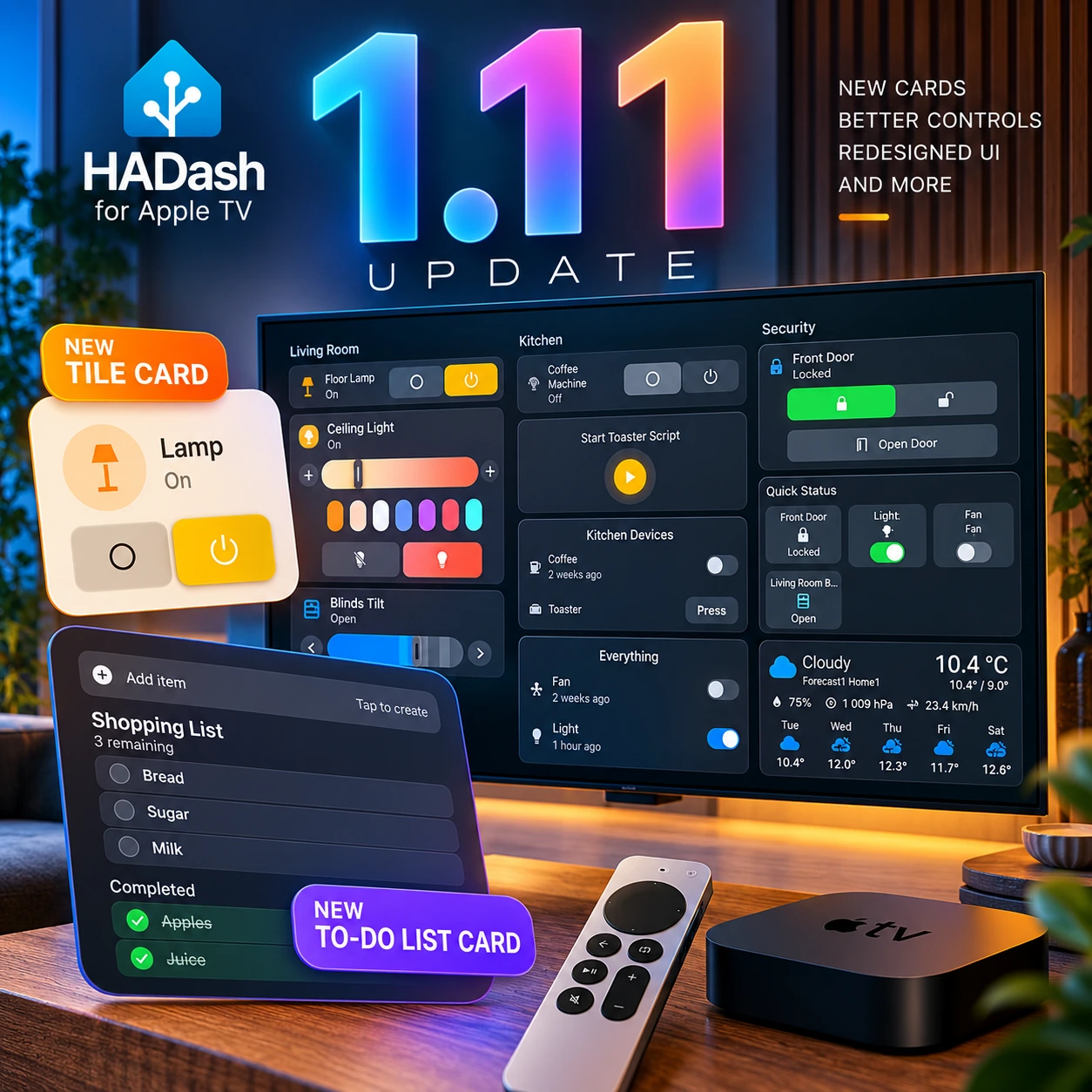
HADash 1.11: A Major Update for Home Assistant on Apple TV
HADash 1.11 adds support for Home Assistant Tile and To-do List cards, expands existing card interactions, and refreshes the interface across dashboards, device controls, server management, settings, and the launch flow. The update also includes improvements to dashboard processing, cameras, and action execution, plus in-app bug reporting.
The release changes both what you can put on your television dashboard and how you interact with it. Tile support adds another way to present entities, while To-do List support brings household lists alongside lights, device states, and security controls.
HADash is a native tvOS application that connects to Home Assistant and displays supported cards from your existing dashboards. It is a separate client, not the official Home Assistant application. If you are new to this setup, our guide to using Home Assistant on Apple TV explains the distinction.
Version 1.11 is now listed on the HADash App Store page.
[INSERT SCREENSHOT #16 — 16-hadash-1-11-dark-dashboard-living-room-kitchen-security.webp]
Caption: The redesigned HADash 1.11 dashboard, showing lighting, kitchen devices, security controls, weather and a clock across three columns.
Alt: HADash 1.11 dark dashboard with Living Room, Kitchen and Security columns on Apple TV.
New Home Assistant Card Support: Tile and To-do List
Tile Card support is one of the headline additions in HADash 1.11. Home Assistant’s Tile card combines an entity overview with configurable actions and controls. Bringing this card type to HADash gives users another option when choosing how to present devices on the television.

For a TV dashboard, compact presentation is useful when several devices need to remain visible together. A clearly named lamp and its current state can occupy less attention than a detailed control panel.
The release also expands existing interactions. The Bedroom Light screen presents brightness adjustment, color presets, and on/off controls, illustrating the difference between checking a device’s state and opening more detailed controls.
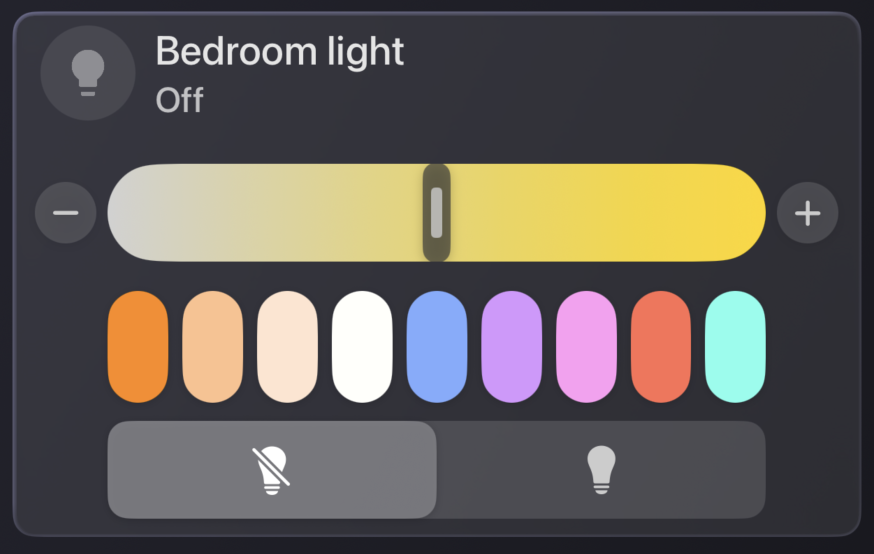
New Tile support does not mean every Home Assistant Tile feature or configuration is supported. Check the controls relevant to your entities rather than assuming complete feature parity. Our Home Assistant card selection guide provides broader layout context; version-specific support should be assessed against the current release.
To-do List Card support introduces a different use for the shared screen. Shopping lists, household chores, and daily tasks can sit alongside smart-home information instead of requiring a separate dashboard on another device.
The Shopping List view separates active and completed items and displays the number of remaining tasks. An Add item control is also visible. Other list examples include task descriptions and dates, although the presence of an interface element alone does not establish support for every editing or synchronization operation.
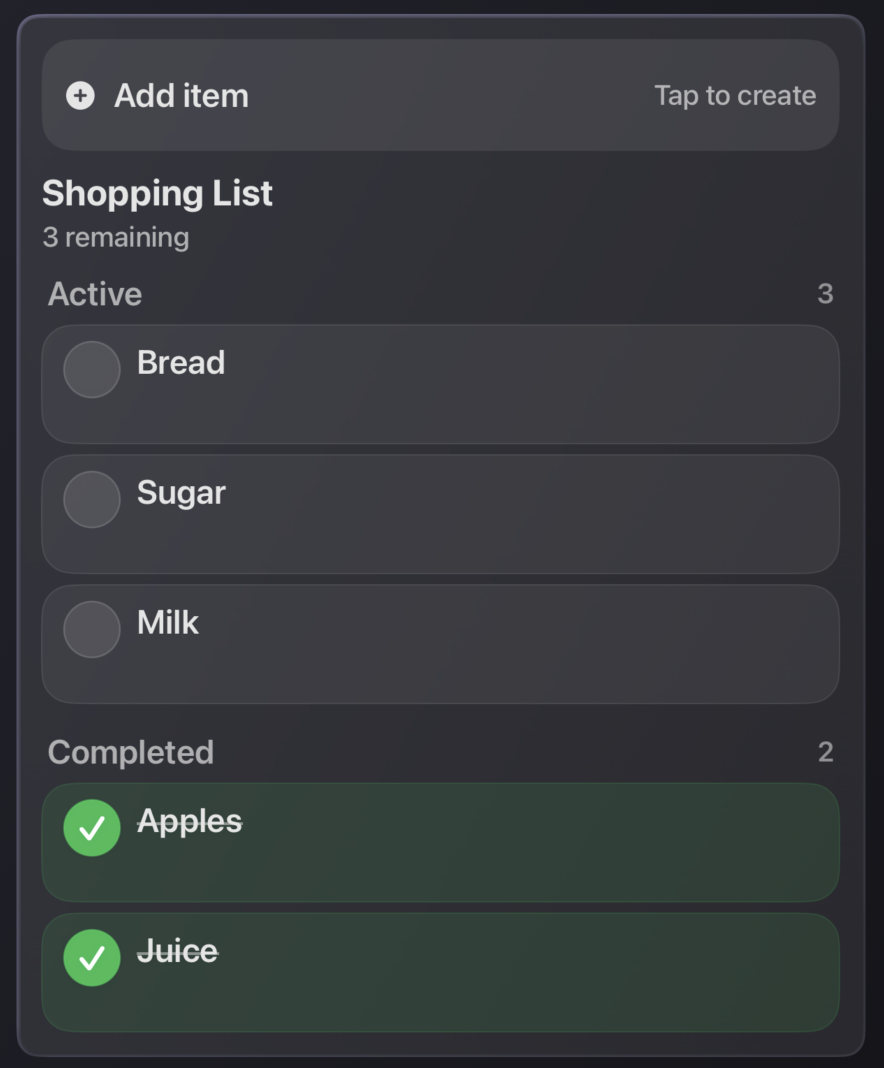
Home Assistant’s To-do List documentation explains the underlying card. Its full browser feature set should not be assumed to carry over unchanged to HADash.
Expanded Card Interactions and Smart Home Controls
HADash 1.11 also expands existing card layouts and interactions, adds more Home Assistant controls, and improves service and action execution. The update is therefore relevant even if your dashboard does not use either new card type.
Blinds provide a practical example. The Living Room Blinds panel includes Open, Stop, and Close actions, position presets, a position slider, and additional tilt controls. These represent different requests: moving a blind, selecting a target position, or adjusting its slats.
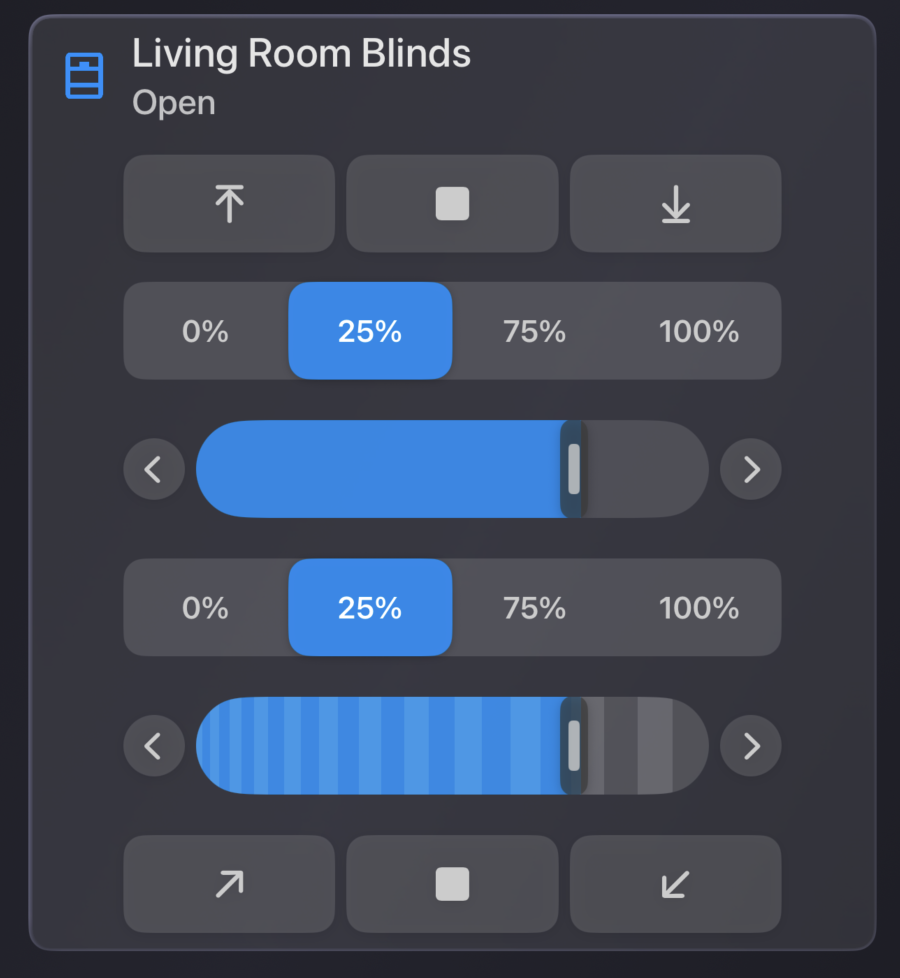
In a living room, it can be useful to keep a blind’s current position near lighting and scene controls. Someone preparing the room for a film can then find related devices in one place rather than navigating through an unrelated device list.
The available actions still depend on the Home Assistant entity, its integration, and the functions exposed by the device. A panel containing tilt controls is not a promise that every motorized blind supports tilt.
After updating, check the controls used most often in your own rooms. Confirm both the displayed state and the device’s response to an action.
Major UI Refresh: New Themes and Redesigned Navigation
The interface refresh reaches beyond the dashboard itself. Version 1.11 redesigns cards, server screens, settings, and the launch and connection flow, giving the update a broader scope than a change of colors.
The visual settings offer Auto, Light, Dark, Sky, and Ruby themes. Gradient and Liquid Glass options, together with a visual preview, provide further ways to adjust the presentation.
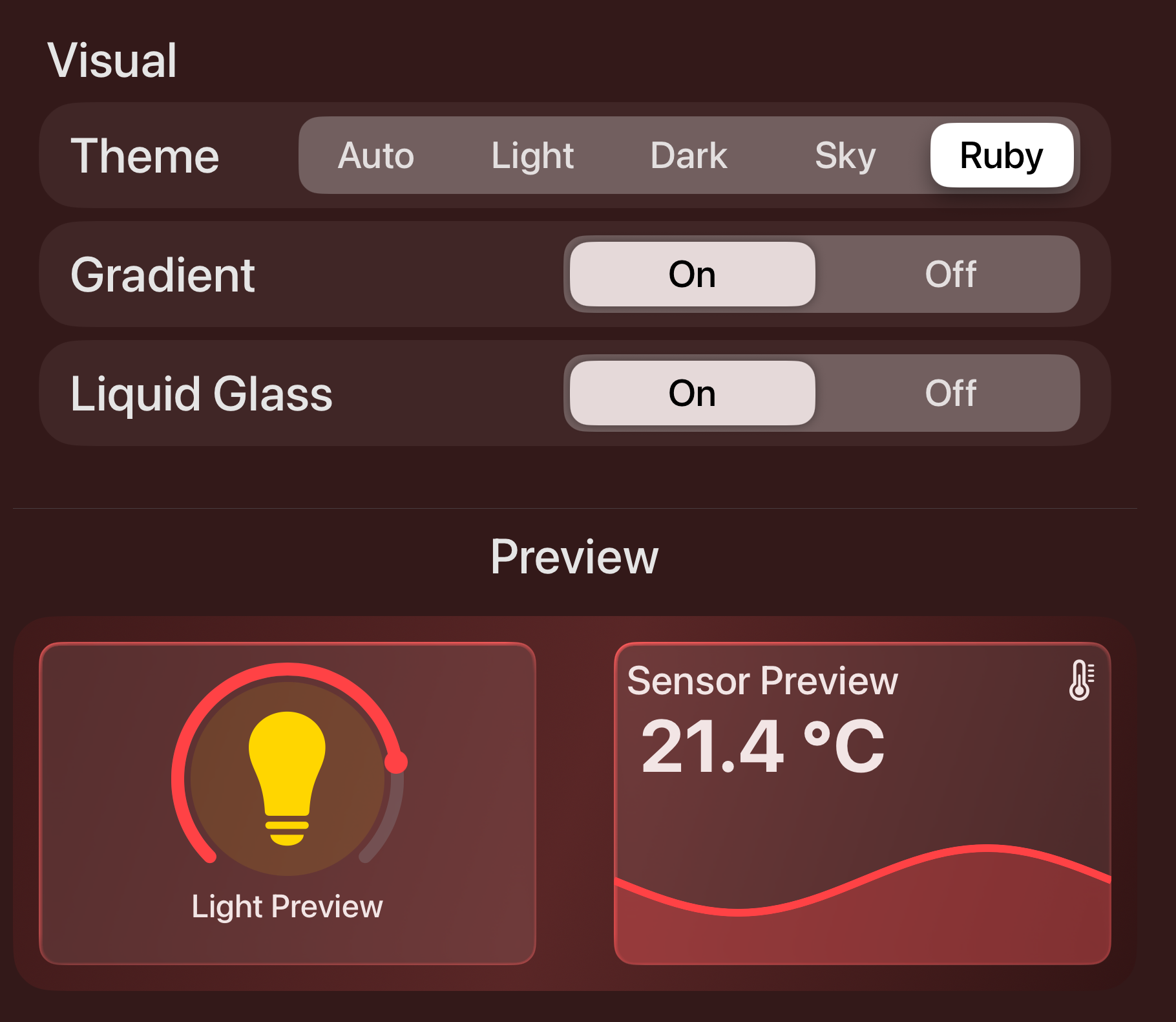
Choose an appearance based on the room as well as personal preference. Check whether entity names, state labels, and the focused control remain distinguishable from your normal seating position. A decorative effect should not make an important reading harder to see.
The same principle applies to navigation. Keep frequently used actions close together and avoid filling a shared TV view with controls that require careful inspection. Our remote-friendly dashboard guide explains this layout approach.
Server management has also been redesigned. The new screen presents connection status, Edit, Debug, and Delete options, and the available dashboards.
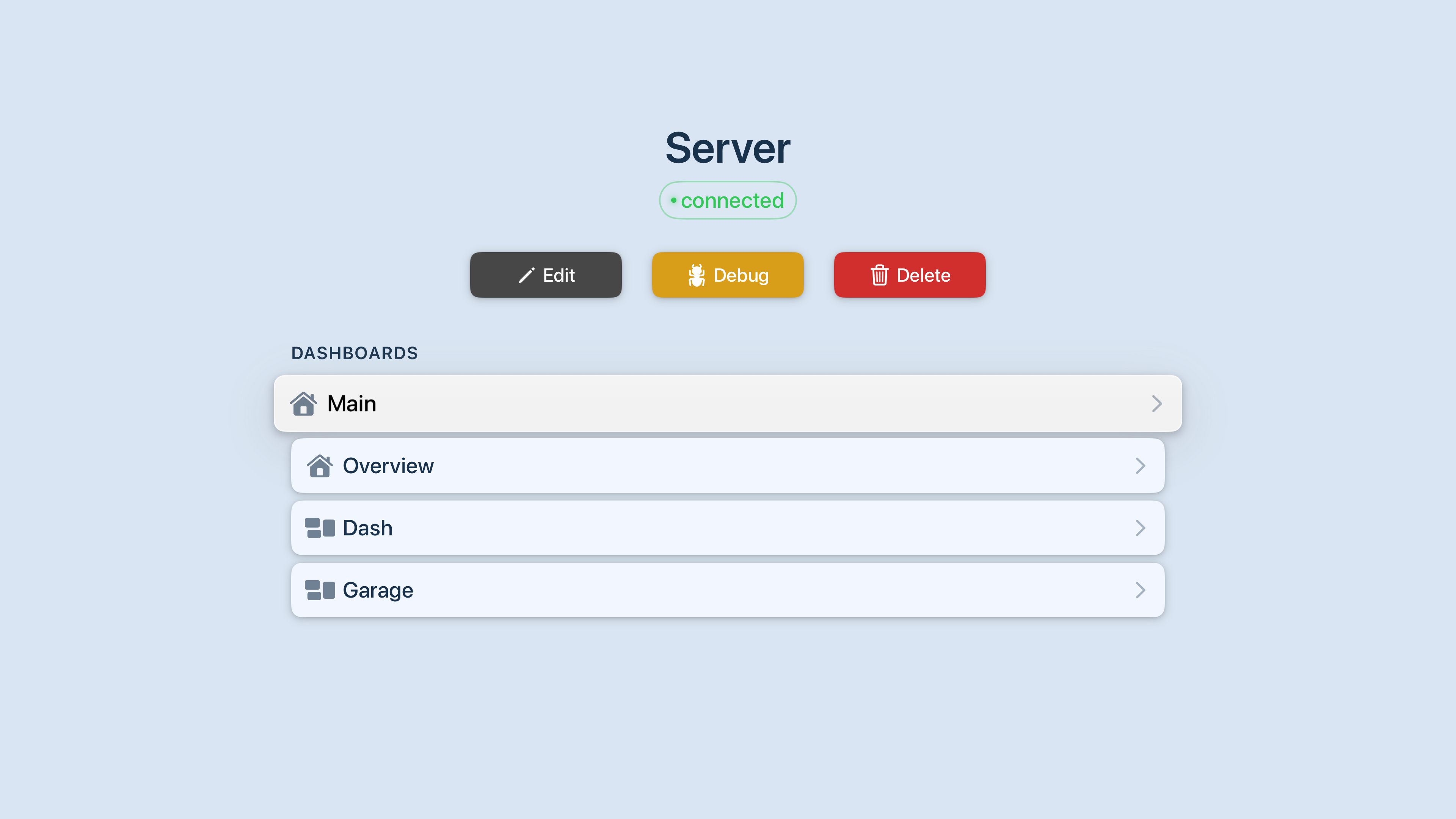
For connection prerequisites, see how to connect Home Assistant to HADash. The refreshed screen does not remove the need for valid server details and access credentials.
Improvements Behind the Scenes
Version 1.11 includes changes to dashboard parsing, entity handling, and service/action execution. These address different parts of the connection between a Home Assistant configuration and the interface shown on Apple TV.
Dashboard parsing concerns how the app processes the dashboard configuration. Entity handling concerns the data and states used by its cards. Action execution concerns the requests made when a supported control is selected. Improving one layer does not automatically establish that every card or integration will work.
The changelog also lists camera-related enhancements and new entity interaction features. It does not provide measured latency reductions, a new streaming-protocol guarantee, or a list of every camera issue resolved.
In-app bug reporting is another addition. Users can now report problems from within HADash. A useful report should explain what you expected, what happened instead, and which card or entity was involved. Review screenshots and diagnostic material before sharing private connection information.
General stability, localization, and performance improvements complete the release. Home Assistant’s dashboard card documentation remains the reference for the source configurations, while HADash determines how supported configurations are presented on tvOS.
How to Get HADash 1.11
Open the HADash App Store listing to download the app or check for an update on Apple TV. Version 1.11 was confirmed on the UK listing when this announcement was prepared; check your local storefront for availability.
Existing users should review their familiar dashboard after installing the update, particularly lighting, blinds, lists, and any cards with configured actions.
The official HADash website provides product information, while the public GitHub repository contains project documentation and an issue tracker.
Start with a dashboard you already use. Confirm that its important states remain readable, try the supported controls, and then decide where Tile and To-do List cards would add useful information to your TV view.